
Introduction
Successful VMware Cloud Foundation deployments begin well before the bring-up workflow is launched. Each ESXi host must provide a consistent, validated foundation across firmware, networking, name services, and time synchronization.
This guide describes a repeatable preparation process for a four-node management domain. Exact values will vary by environment, but the validation sequence should remain consistent.INFO
Complete and document these checks before generating the deployment parameter workbook. Early validation prevents most bring-up failures.
1. ESXi Host Preparation
Install a supported ESXi build on each host and apply the vendor add-on or firmware baseline specified in the VMware compatibility guidance. All nodes in the cluster should use an identical image profile.
Baseline requirements
- Use servers listed in the current compatibility guide.
- Enable virtualization extensions and UEFI secure boot where required.
- Configure a persistent management address on every host.
- Verify that storage devices are visible and free of existing partitions.
Connect to each host through the direct console or management interface and confirm the management VMkernel adapter:
esxcli network ip interface ipv4 get- Record the host build number and image profile.
- Confirm CPU, memory, NIC, and storage inventory.
- Place each host in maintenance mode until bring-up begins.
Consistency is more important than speed. A single host with a different driver or firmware level can introduce difficult-to-diagnose cluster behavior.
2. Network Configuration
VCF requires deterministic connectivity between the management, vMotion, vSAN, and overlay networks. Map physical adapters consistently and ensure upstream switch ports have matching VLAN and MTU settings.
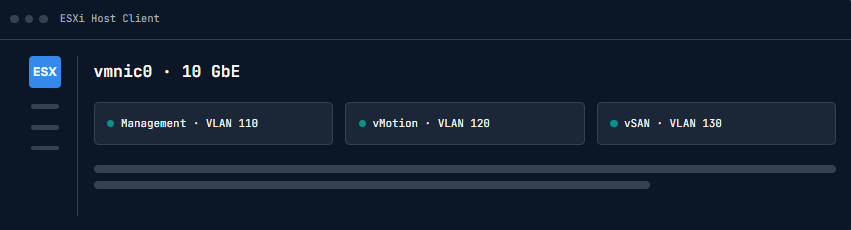
Figure 2 — Management network and uplink validation
| Traffic type | Recommended MTU | Validation |
|---|---|---|
| Management | 1500 | Gateway reachable |
| vMotion | 9000 | Jumbo frames end-to-end |
| vSAN | 9000 | Unicast peer connectivity |
| Overlay | 9000 | TEP VLAN routed |
WARNING
An MTU mismatch can pass basic ping tests while still causing intermittent deployment and storage failures. Validate with a non-fragmenting payload.
vmkping -I vmk0 -d -s 1472 10.20.10.1
esxcli network nic list
3. DNS Configuration
Create forward and reverse records for every ESXi host and for all planned management appliances. Use fully qualified domain names consistently in the deployment workbook.
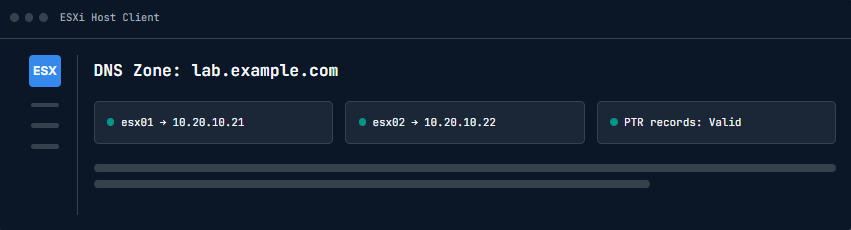
Figure 3 — Forward and reverse DNS validation
From an administration workstation and from each host, verify both lookup directions. The returned names must match exactly, including the DNS suffix.
nslookup esx01.lab.example.com
nslookup 10.20.10.21
IMPORTANT
Do not continue with aliases, stale records, or inconsistent capitalization. Correct the authoritative DNS zone first.
4. NTP Configuration
Configure at least two reachable NTP sources. Time drift between ESXi, vCenter, and identity services can invalidate certificates and interrupt authentication.
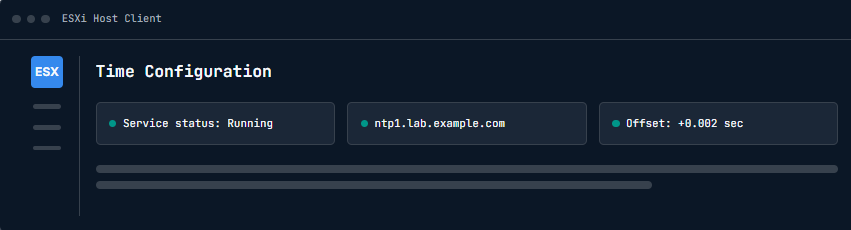
Figure 4 — ESXi time service configuration
esxcli system ntp set --server="ntp1.lab.example.com,ntp2.lab.example.com"
esxcli system ntp set --enabled=true
esxcli system ntp get
WARNING
Incorrect time synchronization can cause deployment and authentication issues. Confirm the service is running and the upstream sources are responding.
5. Certificate Preparation
Decide whether the environment will initially use platform-generated certificates or certificates issued by the organization’s certificate authority. Record naming requirements, key lengths, and approval lead times.
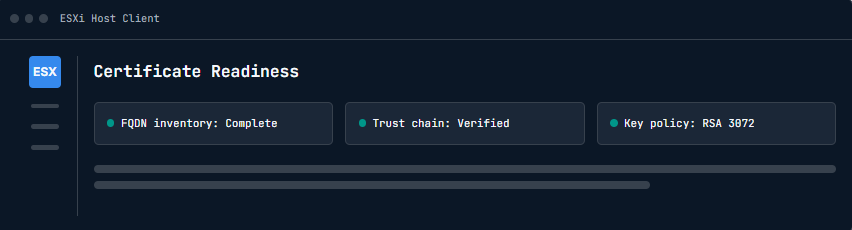
Figure 5 — Certificate trust preparation workflow
If enterprise certificates will be introduced after deployment, ensure the design preserves each appliance FQDN. Review the product documentation for the supported replacement sequence.
6. Final Validation
Run a final readiness review with the network, compute, storage, and security owners. Capture the results as part of the implementation record.
- Host connectivity
- DNS resolution
- NTP synchronization
- Network configuration
- Management access
- Required services
Conclusion
A disciplined host-preparation process makes VCF bring-up predictable. Resolve every validation exception before starting the workflow, then preserve the completed checklist alongside the deployment workbook for future expansion and recovery work.